design
screen
platform
shell
Contacts and calls
correspondence
camera
gallery
video player
player
internet
Organiser
GPS
apps
connections
battery
conclusion
HTC is positioning its products as a premium and expensive , so the models typically cost 20-30% more expensive than their counterparts. But now it is not a situation where a queue of those wishing to pay a premium for the name brand . Given the huge selection of low-cost smartphones B- brands, as well as an active advertising support in promoting Korean smartphones , HTC has hard, but nevertheless the company continues its way and releasing new models .
HTC One SV immediately remind the two smartphones. First, it is HTC One S, who was appealing the decision of the middle class , and secondly , it is HTC Desire SV, successful version with two SIM- cards. Perhaps one of the best on the market for your money. New product is very similar to the last one, but there is only one card . Features of the model are as follows: 4.3- inch WVGA- screen, 5 -megapixel camera , 2 -core 1.2 GHz processor, 1 GB of RAM, a memory card slot , Android 4.1.2.
design
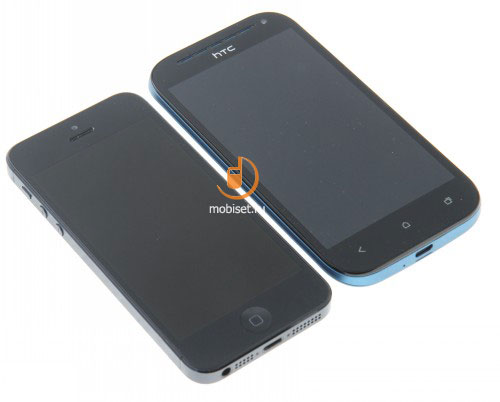
By creating a new smartphone in the HTC did not have to reinvent the wheel, and took as a basis the familiar form. Those who have seen the HTC Desire SV, can be easily confused with it HTC One SV. If we do not take into account the different body color options , it seems that smartphones are identical in appearance , and this is just a new version .
Against the exterior of said model, I do not have anything , it looks good and is guessed corporate identity HTC. Dimensions of the smartphone are 128 x 66.9 x 9.2 mm and weighs 122 g Phone slightly less than dvuhsimochny option, it applies to all parameters, including the weight of the device .
But if there are no two machines , you appreciate the difference between them would be impossible in practice . The model is quite compact , so will appeal to all who are interested in buying a device of reasonable size.
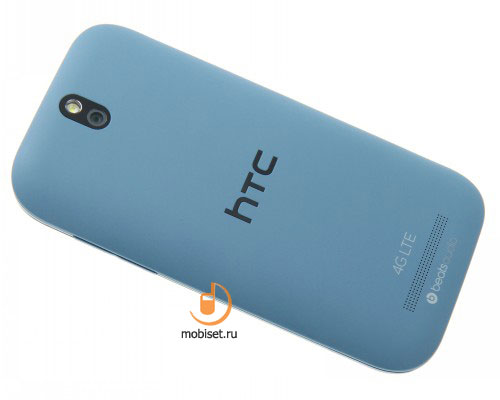
Housing gray-blue color , this color is somewhat similar to HTC One S, which was painted in a similar color. But if there was metal , there was abandoned by opting softachu . Rubberized coating completely covers the back, removable cover . Under it there are compartments for cards and battery. In general, the touch surface reminiscent of HTC One X, covering similar.
The base case is made of matte plastic, he also painted in the original color .
On the right is virtually flat volume button on the other side of the body is nothing.
At the bottom of the connector microUSB, 3.5mm at the top headphone output and the screen lock button .
The screen is locked glass Gorilla Glass, the top LED and the earpiece , and a set of sensors.
HTC One SV
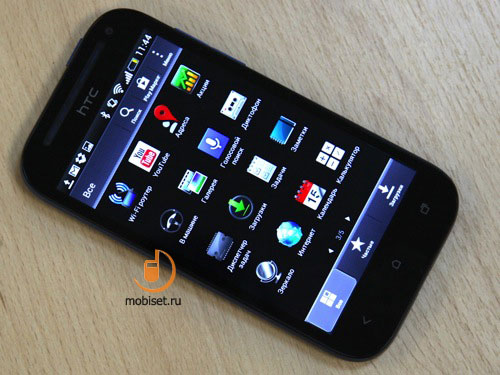
Below are three touch-sensitive buttons with visual symbols , equipped with lights and vibration feedback .
Behind virtually nothing, the surface is flat and smooth , but there is a small cut at the top , where the camera lens and flash. At the bottom of the hole will be the speaker.
Battery covers mount SIM-card , and microSD slot for on the side. Therefore, it can always be replaced quickly.
screen
The display is not very big for the middle class, however , the diagonal is ample , it is 4.3 inches . Resolution of 480x800 pixels , for the same money and the HD- screens at similar models . The smartphone is a good Super-LCD 2 matrix, which provides natural color reproduction, as well as demonstrates the wide viewing angles .
The smartphone operates the proximity sensor , the sensor to automatically adjust the brightness of the display is protected by glass. Capacitive Sensor detects up to 10 simultaneous touches . Reserve enough light for the room , on the street can be a problem except in very bright light. On examples of Samsung Galaxy Express ( below) and the HTC One SV ( bottom).
HTC One SV
Behavior in the sun is good , the data are normally read .
platform
The smartphone uses 1.2 GHz processor Qualcomm MSM 8230 Snapdragon, Adreno 305 graphics chip , you have 1 GB of RAM. Of the 8 GB of internal memory 4 GB go to different media data and 1 GB for installing applications . There is also a card slot for microSD, where you can set the drive up to 32 GB. Smartphone received an update to Android 4.1.2, version though not the newest , but it is relevant. Sense shell is available in all its glory , in this case, we can evaluate the merits of version 4.1 .
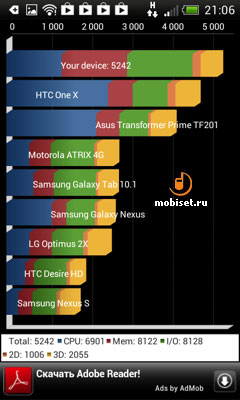
The smartphone is fast, which is not surprising . Efficient processor for the middle class is paired with a WVGA-resolution screen is behaving very well. HTC One SV running smoothly, serious delays or delays in operation , no, he was even more powerful than the HTC Desire SV, so must like at speed.
shell
Sense 4.1 is not the latest version of the original design HTC. At the same time, there is a better option than in the same HTC Desire SV. So that part of the possible models is on par with the HTC One X +.
On the status bar displays various status indicators , the level of reception , wireless connection. This also get a variety of notification of recent events . You can quickly access the settings menu and run specific tasks.
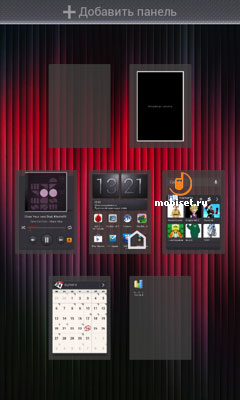
The smartphone is configured number of desktops , all created to seven zones , which are submitted widgets , shortcuts, folders and applications . Cyclical scrolling menu with tables they bulky , look beautiful, all in the spirit of the older models.
The smartphone is a lot of options for customization. There are themes and styles, there are several options for decorating the lock screen , which displays shortcuts , duplicate icons on the bottom of the main screen . To quickly run a program need only pull the tab and drag it to the ring.
The menu is displayed as a list of labels that are sorted in an easy manner . A separate button is responsible for the task manager , where applications are displayed as a list of thumbnails .
Contacts and calls
Smartphone collects data from various sources using social networks, SIM-card memory to display the data . Each new contact gets a lot of fields , including the types of phone numbers , mail addresses, for more information.
HTC One SV HTC One SV
The smartphone handy chime part , running a quick search rooms at the coincidence input numbers. There are Russian letters on the keyboard while making a call . The menu itself is a vertical list where in the column are aligned all the recent calls. Calls various types differ in visual colorful icons.
correspondence
The smartphone allows you to adjust the font size that is convenient for all correspondence to those who do not have very good eyesight . You can automatically convert SMS to MMS when added to a text object multimedia information. In addition, a search of the archive messages, and perform all the standard actions such as copying and pasting text.
Available intelligent input when the system of correction and word completion helps to fill the text without taking the time to fix bugs. You can type text without lifting your finger from the screen , the smartphone itself fills in the appropriate words . It is also well implemented voice typing . The keys are large, they are accompanied by pleasant vibration feedback , which can be turned off.
camera
The smartphone features a 5 -megapixel unit , which is complemented by a 1.6- megapixel front camera. There is also auto-focus and LED flash . Separate buttons for shooting there , but you can quickly launch the application using the shortcut on the lock screen. It is also very convenient that at the time of shooting , blocking the screen on again by pressing the lock key , you can return to the viewfinder menu . Do not have to re- run the application .
An example shows that the camera in the HTC One SV went near predecessors in the lineup . For the middle class is the quality should be called acceptable if the user does not have special claims on the part of the subject.
Video is written at a maximum resolution of 1920x1080 pixels in MP4 , among the models of the middle class is not common .
gallery
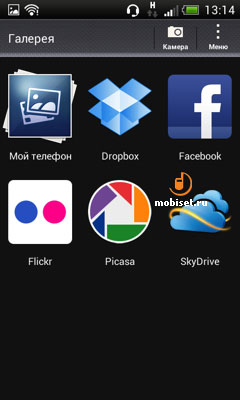
All the images from your smartphone fall into one section of the gallery where the folders are presented . Gallery is available in portrait or landscape mode. You can choose other criteria for data downloading images from Facebook, Flickr, Dropbox, Picasa or Skydrive. In the settings are set hidden albums , the existence of which no one knows except the owner smartphone.
Picture sent to various social networks , storage facilities , in a message or via Bluetooth. It is set as a wallpaper , or use the contact is added to the watchlist . The picture may be cut or processed in the integrated image editor , which is available in a variety of beautiful effects.
video player
Claimed to support the following video formats : .3 gp, .3 g2,. Mp4,. Wmv (Windows Media Video 9 ),. Avi (MP4 ASP and MP3). Video is played on the screen, is fast with individual keys. Need to put a single player to have certainly play all the videos . The player remembers what place has stopped playing videos in different files. The player set the brightness level , you can take a screen shot .
player
Opening the player that stands out in a bright red icon menu , you will see several icons. The first of these is in the player itself . Also, here taken out program SoundHound, TuneIn Internet radio and 7Digital, which leads to the music store . The extra labels are removed from here , as well as adding new menu . Thus, a separate group of all the sound-related applications , which is quite convenient .
In the player are several criteria to sort by albums , artists , songs , playlists , genres . In any case, the display will show the files that clearly stand out covers and signatures. Then I search function and shuffle play . At the same time , and useful search function of the library. When you select the album you want to open the next menu. There you can see the cover , information on the number of tracks , genre , year. The song goes to the playlist , or to another device. In another menu is called a long list of additional activities where you can find not only information about the song , but also the ability to set it as a ringtone . During playback of the songs on the screen informs album name, artist name , track name , elapsed and remaining time . Track added to the queue reproduction is sent to the external device via the DLNA. Supported by a handy option boot covers, which helps bring the album into a presentable form .

No comments:
Post a Comment